
PW315
- Full HD 1080p resolution at 60fps smooth capture
- 95° wide-angle field of view for broad coverage
- AI-powered auto framing & ePTZ tracking via CamEngine
- Dual omnidirectional stereo mics with AI noise reduction
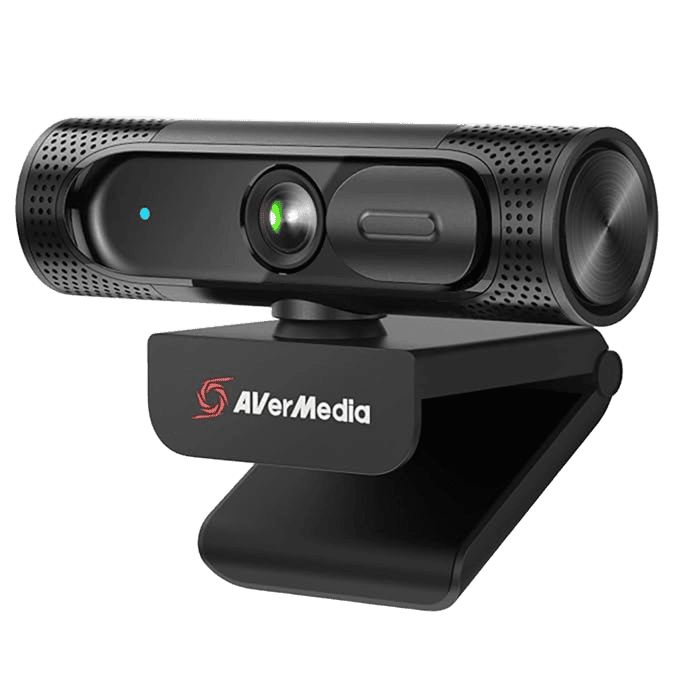
Specifications
FAQs
Why is 1080p at 60fps important on the AVerMedia PW315 webcam?
Capturing video at 60 frames per second (fps) delivers double the frame rate of standard 30fps webcams. On the AVerMedia PW315, 60fps video eliminates motion blur, lag, and stuttering during fast movements, making it ideal for online teachers presenting on physical whiteboards, fitness instructors, and streamers who require smooth, life-like video quality.
How does AI Auto Framing function on the AVerMedia PW315?
When managed through AVerMedia’s CamEngine software, the PW315 utilizes AI algorithms to detect human faces and active speech. The webcam automatically adjusts its electronic pan-tilt-zoom (ePTZ) frame to keep everyone in view or smoothly zoom in on whichever participant is speaking.
Can the AVerMedia PW315 filter out background noise during calls?
Yes, the PW315 features built-in dual omnidirectional microphones augmented by CamEngine’s AI noise reduction technology. This intelligently suppresses background ambient sounds—such as mechanical keyboard clicking, air conditioning hum, or room echo—while preserving the speaker’s natural voice tones.
Does the AVerMedia PW315 require driver installation before use?
No, the AVerMedia PW315 is a standard UVC plug-and-play USB device. Simply plug the webcam into a available USB 2.0 port on a Mac, Windows PC, or Chromebook, and it will be recognized immediately as a camera and microphone source in video applications.
How does the 95° wide field of view assist in online teaching and meetings?
The 95° diagonal field of view provides a wider angle of capture than traditional 60°–70° webcams. This allows presenters to display background materials, physical props, or accommodate multiple meeting participants in a single desk setup without needing to squeeze together or push the camera back.