
GC571
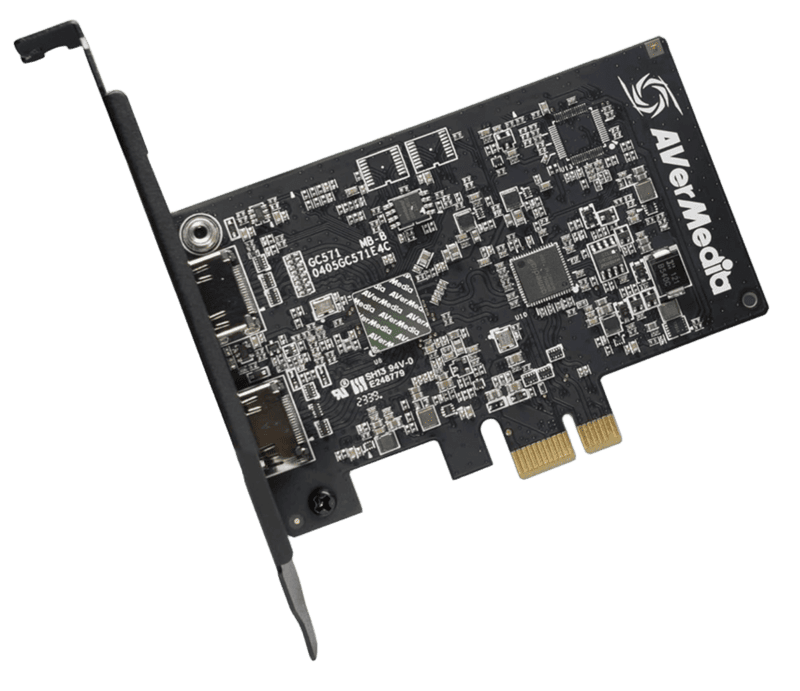
- Internal PCI Express Gen 3 x1 low-latency interface
- 4K Ultra HD capture at 30fps / 1080p capture at 60fps
- 4K @ 60Hz HDR/VRR & 1080p @ 240Hz pass-through
- Ultra-low latency processing for real-time preview
Specifications
FAQs
Why choose an internal PCIe capture card like the AVerMedia GC571 over USB?
PCIe capture cards connect directly to the motherboard’s PCIe bus, offering significantly higher bandwidth and lower latency than external USB cards. The GC571 eliminates USB controller bottlenecks for instant gameplay previewing.
Does the AVerMedia Live Streamer ULTRA HD support Variable Refresh Rate (VRR)?
Yes, the GC571 supports VRR pass-through on compatible HDMI 2.0 gaming monitors. This prevents screen tearing and stuttering on PlayStation 5, Xbox Series X, and gaming PCs.
Can I stream high refresh rate PC gameplay while capturing at 60fps?
Yes, you can pass through high-speed signals such as 1080p at 240Hz or 1440p at 144Hz to your monitor while simultaneously capturing smooth 1080p60 or 4K30 footage for your live broadcast.
Is the AVerMedia GC571 compatible with macOS or laptops?
No, the GC571 requires an internal PCI Express x1 slot in a Windows 10/11 desktop tower. Laptops and Mac computers should use external USB models like the GC553G2 or GC551G2.
Does the GC571 record natively in 4K HDR?
The GC571 supports 4K HDR pass-through to your monitor. Video capture is recorded in 4K Ultra HD at 30fps or 1080p SDR/HDR at up to 60fps depending on software settings.