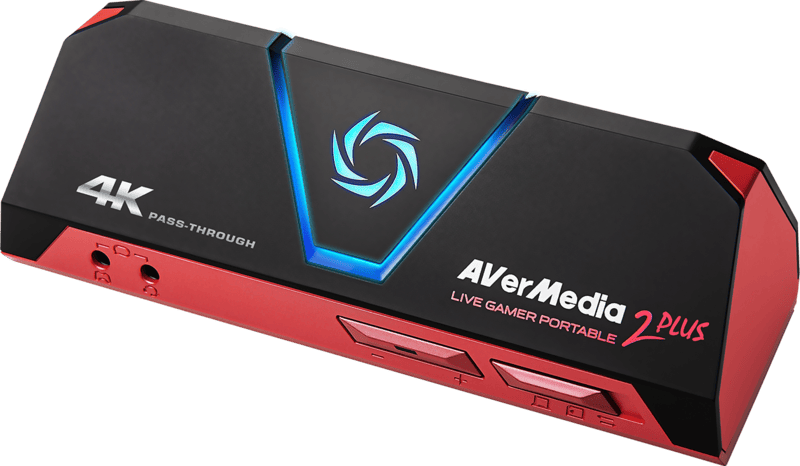
GC513
- 3 Operational Modes: PC-Tethered, PC-Free (MicroSD), and Card Reader
- 4K Ultra HD video pass-through at 60fps
- Smooth Full HD 1080p recording at 60fps
- Headset & party chat 3.5mm controller pass-through audio
Specifications
FAQs
How does the PC-Free Mode work on the AVerMedia GC513?
By toggling the mode switch to PC-Free mode, the GC513 records 1080p 60fps video directly onto an inserted Class 10 microSD card without being connected to a computer. Power is supplied via any standard USB wall adapter or power bank.
Does the GC513 support 4K gaming pass-through?
Yes, the GC513 supports 4K Ultra HD at 60fps video pass-through, enabling console gamers to play in 4K resolution on their main monitor while streaming or recording in 1080p60.
What is Card Reader Mode on the Live Gamer Portable 2 Plus?
In Card Reader Mode, the GC513 acts as an external SD card reader when connected to a computer, allowing users to transfer recorded gameplay files from the microSD card without removing it.
Can I record console party chat and commentary directly with the GC513?
Yes, by plugging a headset into the device’s 3.5mm front ports and connecting a cable to the console controller, you can capture live voice commentary and team chat along with game audio.
What software is recommended for PC-tethered recording on the GC513?
The GC513 works out-of-the-box with AVerMedia RECentral software as well as standard broadcasting platforms including OBS Studio, Streamlabs, and XSplit.