
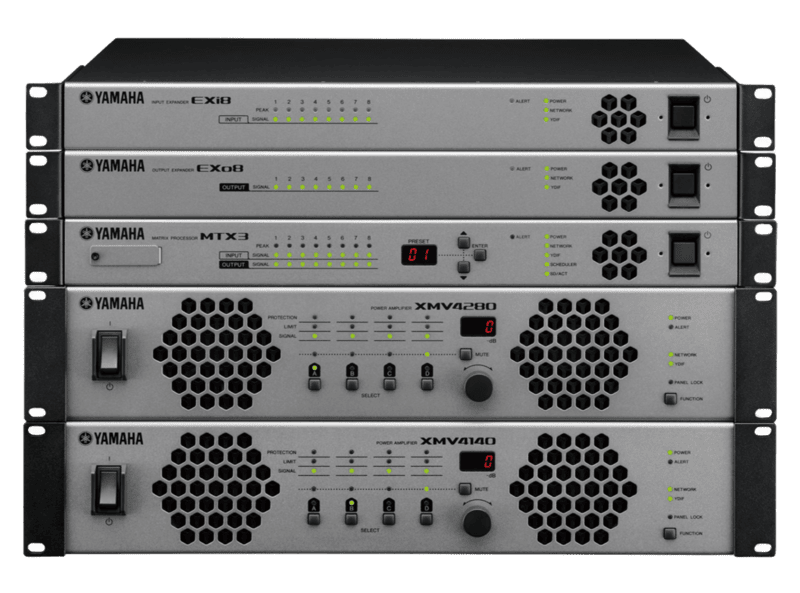
XMV Series
- 4 or 8 channel Class-D amplification models supplying 140W to 280W per channel
- Per-channel selection of High-Impedance (70V/100V) or Low-Impedance (4Ω/8Ω) operation
- Available with YDIF digital audio bus or Dante uncompressed network audio interfaces
- Double Power Mode doubles output wattage on selected channels to drive high-capacity speakers
Specifications
FAQs
How does per-channel High-Z/Low-Z selection work on Yamaha XMV series amplifiers?
Unlike conventional multi-channel amplifiers that force all channels to run at the same impedance, XMV amplifiers allow each output pair or channel to be set independently to High-Impedance (70V/100V line) or Low-Impedance (4Ω/8Ω) via rear panel switches, allowing a single unit to power both ceiling speakers and subwoofers simultaneously.
What is Double Power Mode on Yamaha XMV amplifiers?
Double Power Mode combines the drive capability of two channels into a single output stream. This doubles the wattage output for driving high-power subwoofers or long high-impedance speaker lines without needing to bridge channels with complicated external wiring.
What is the difference between XMV YDIF models and XMV Dante models?
YDIF models use Yamaha’s proprietary Ethernet-cable digital audio format to transfer 16 channels of uncompressed audio across short distances between Yamaha processors and amps. Dante models feature primary and secondary Dante network ports for sending digital audio over standard IP networks across multi-building enterprise campuses.
Can XMV amplifiers automatically switch to analog input if the network audio drops?
Yes, XMV amplifiers support automatic backup fallback. If the primary digital Dante or YDIF audio connection experiences signal loss, the amplifier instantaneously switches to its analog Euroblock inputs without interrupting sound playback in the venue.
How are XMV amplifiers managed over a central network?
Networked XMV amplifiers can be monitored and configured using Yamaha MTX-MRX Editor software or controlled in real time using ProVisionaire touch panels. IT admins can monitor channel temperatures, impedance loads, mute states, and output levels remotely.