Wireless Presentation & Room Control
ScreenBeam
USB Pro Switch
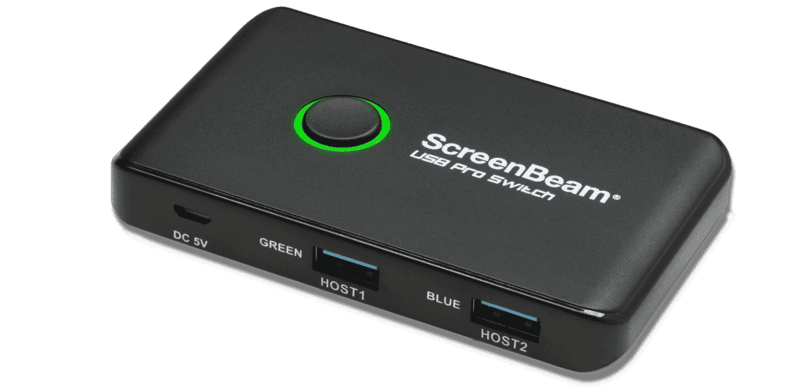
The ScreenBeam USB Pro Switch is designed to seamlessly enhance UC room integration by enabling BYOM (Bring Your Own Meeting) experiences. It allows intelligent sharing of USB peripherals, expanding room capabilities to support wireless content sharing and interactive touch annotations. With four SuperSpeed USB 3.0 ports, it provides a reliable and clutter-free desktop switching solution for home and office environments.
* Enables BYOM experiences in UC rooms
* Intelligent USB peripheral sharing
* Enhances Microsoft Teams Rooms (MTR)
* Features 4 x SuperSpeed USB 3.0 ports
Core Capability
4x USB 3.0 Type A Device Ports
Primary Metric
2x USB 3.0 Type A Host Ports
Connectivity
Plastic Desktop Enclosure
Compliance & Certification
52g Weight
ScreenBeam - USB Pro Switch
Specifications
Request a Quote
Explore real boardrooms, classrooms, and studios fully equipped with hardware from our OEM partners.
01
General Specifications
Device Type
USB Peripheral Sharing Switch / A/V Switcher
Enclosure Type
Desktop (Plastic housing)
Color
Black
Target Application
UC Room Integration, BYOM Expansion
Operating System Supported
Windows and Mac OS
02
Connectivity & Interfaces
Device Ports
4 x SuperSpeed USB 3.0 Type-A
Host Ports
2 x USB 3.0 Type-A
Video Port Type
USB
Compatibility
Integrates with ScreenBeam 1100 Plus
Subtype
USB
01
Features
Wireless Integration
Adds wireless content sharing to MTR
Touch Support
Supports annotation on touch displays during sessions
Room Expansion
Hardwire support for HDMI/USB in non-MTR rooms
Cables Included
2 x 1m USB cables
Included Accessories
2 x self-adhesive strips
03
Physical & Warranty
Width
10 cm (4.30 inches)
Depth
6 cm
Height
1.4 cm
Weight
52 g
Warranty
Limited 1-Year Warranty
FAQs
What is the main purpose of the ScreenBeam USB Pro Switch?
It is designed to expand UC room capabilities to enable Bring Your Own Meeting (BYOM) experiences without requiring additional room resource devices.
Can it be used with a Microsoft Teams Room (MTR)?
Yes, it enhances MTR meetings by intelligently adding wireless content sharing and USB peripheral control.
How many devices can I connect to the switch?
The switch features four SuperSpeed USB 3.0 Type-A ports for devices and two USB 3.0 Type-A host connections.
Does it support touch displays?
Yes, it supports annotation on touch displays during wireless content sharing sessions.
Does it require driver installation?
No, it is a hardware-level peripheral switch designed to work natively with Windows and Mac OS environments.